
json类型的使用
大约 3 分钟javaspring
概述
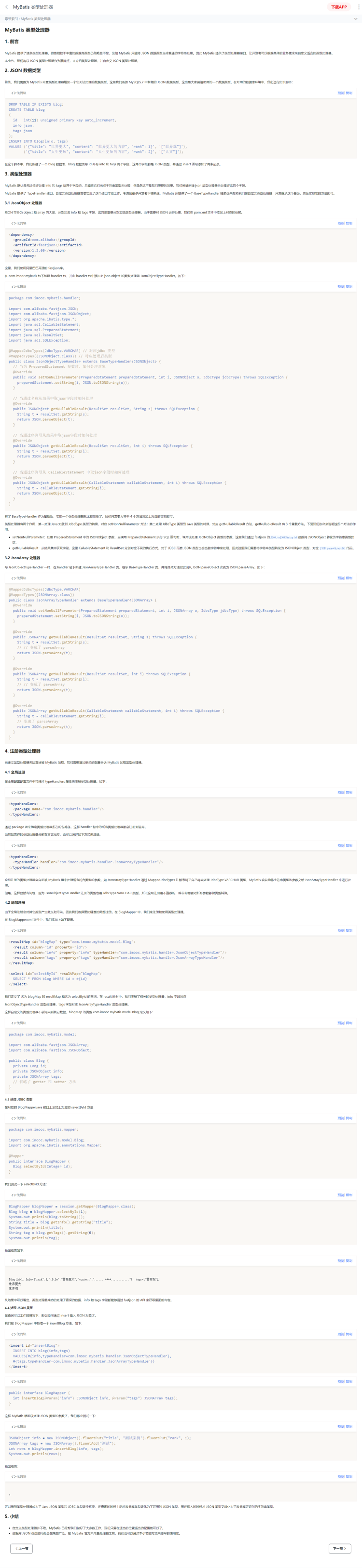
MYSQL在 5.7.8 版本开始提供了 json 类型,本公司所有项目 MYSQL 版本号在 5.7.25上,所以都支持。 参考案例是:https://m.imooc.com/wiki/mybatis-typehandler 页面长截图如下
案例
写入JSON数据
下面两个字段 filterable,attributes 是 JSON类型,其他是字符串类型,注意 JSON 类型的数据要求 key 必须使用引号括起来,如果 key 的 value 是字符串类型也要使用引号括起来,否则会插入失败。
insert into custom_table_style
(user_sid,object_sid,field_name,filterable,attributes)
VALUES
('系统','请购单序时表','applicantname','{"multi": true, "search": true, "dataSource": "applicantname"}',
 '[{"style": "text-align:center;white-space:nowrap;text-overflow:ellipsis;"},{"style":"test"}]');
依赖
<dependency>
  <groupId>com.alibaba</groupId>
  <artifactId>fastjson</artifactId>
  <version>1.2.60</version>
</dependency>
制作类型处理器
json对象类型处理器
package com.xdf.showa.handler;

import com.alibaba.fastjson.JSON;
import com.alibaba.fastjson.JSONArray;
import org.apache.ibatis.type.*;
import java.sql.CallableStatement;
import java.sql.PreparedStatement;
import java.sql.ResultSet;
import java.sql.SQLException;

@MappedJdbcTypes(JdbcType.VARCHAR)
    @MappedTypes({JSONArray.class})
    public class JsonArrayTypeHandler extends BaseTypeHandler<JSONArray> {
        @Override
        public void setNonNullParameter(PreparedStatement preparedStatement, int i, JSONArray o, JdbcType jdbcType) throws SQLException {
            preparedStatement.setString(i, JSON.toJSONString(o));
        }

        @Override
        public JSONArray getNullableResult(ResultSet resultSet, String s) throws SQLException {
            String t = resultSet.getString(s);
            // // 变成了 parseArray
            return JSON.parseArray(t);
        }

        @Override
        public JSONArray getNullableResult(ResultSet resultSet, int i) throws SQLException {
            String t = resultSet.getString(i);
            // // 变成了 parseArray
            return JSON.parseArray(t);
        }

        @Override
        public JSONArray getNullableResult(CallableStatement callableStatement, int i) throws SQLException {
            String t = callableStatement.getString(i);
            // 变成了 parseArray
            return JSON.parseArray(t);
        }
    }
json数组类型处理器
package com.xdf.showa.handler;

import com.alibaba.fastjson.JSON;
import com.alibaba.fastjson.JSONObject;
import org.apache.ibatis.type.*;
import java.sql.CallableStatement;
import java.sql.PreparedStatement;
import java.sql.ResultSet;
import java.sql.SQLException;

@MappedJdbcTypes(JdbcType.VARCHAR) // 对应jdbc 类型
    @MappedTypes({JSONObject.class}) // 对应处理后类型
    public class JsonObjectTypeHandler extends BaseTypeHandler<JSONObject> {
        // 当为 PreparedStatement 参数时,如何处理对象
        @Override
        public void setNonNullParameter(PreparedStatement preparedStatement, int i, JSONObject o, JdbcType jdbcType) throws SQLException {
            preparedStatement.setString(i, JSON.toJSONString(o));
        }

        // 当通过名称从结果中取json字段时如何处理
        @Override
        public JSONObject getNullableResult(ResultSet resultSet, String s) throws SQLException {
            String t = resultSet.getString(s);
            return JSON.parseObject(t);
        }

        // 当通过序列号从结果中取json字段时如何处理
        @Override
        public JSONObject getNullableResult(ResultSet resultSet, int i) throws SQLException {
            String t = resultSet.getString(i);
            return JSON.parseObject(t);
        }

        // 当通过序列号从 CallableStatement 中取json字段时如何处理
        @Override
        public JSONObject getNullableResult(CallableStatement callableStatement, int i) throws SQLException {
            String t = callableStatement.getString(i);
            return JSON.parseObject(t);
        }
    }
模型属性的数据类型
import com.alibaba.fastjson.JSONArray;
import com.alibaba.fastjson.JSONObject;

private JSONObject filterable;//kendoGrid列属性filterable
private JSONArray testjsonarray;//测试jsonArray
xml 中数据类型
jdbcType 指定为 OTHER,后面还要指定处理器类
<resultMap type="com.xdf.showa.model.CustomTableStyle" id="BaseResultMap">
  <id column="id" jdbcType="INTEGER" property="id"/>
  <result column="user_sid" jdbcType="VARCHAR" property="userSid"/>
  <result column="object_sid" jdbcType="VARCHAR" property="objectSid"/>
  <result column="field_name" jdbcType="VARCHAR" property="fieldName"/>
  <result column="default_caption" jdbcType="VARCHAR" property="defaultCaption"/>
  <result column="custom_caption" jdbcType="VARCHAR" property="customCaption"/>
  <result column="column_width" jdbcType="REAL" property="columnWidth"/>
  <result column="state" jdbcType="INTEGER" property="state"/>
  <result column="seq" jdbcType="INTEGER" property="seq"/>
  <result column="immutable" jdbcType="INTEGER" property="immutable"/>
  <result column="filterable" jdbcType="OTHER" property="filterable" typeHandler="com.xdf.showa.handler.JsonObjectTypeHandler"/>
  <result column="testjsonarray" jdbcType="OTHER" property="testjsonarray" typeHandler="com.xdf.showa.handler.JsonArrayTypeHandler"/>
  <result column="create_time" jdbcType="TIMESTAMP" property="createTime"/>
  <result column="create_user" jdbcType="VARCHAR" property="createUser"/>
  <result column="last_update" jdbcType="TIMESTAMP" property="lastUpdate"/>
  <result column="last_user" jdbcType="VARCHAR" property="lastUser"/>
</resultMap>
同样的插入、查询SQL中也要有类型处理器的制定
<insert id="insert" parameterType="com.xdf.showa.model.CustomTableStyle">
  <!--  填充新增后的主键  -->
  <selectKey resultType="java.lang.Integer" keyProperty="id" order="AFTER">
    SELECT LAST_INSERT_ID()
  </selectKey>

  insert into custom_table_style
  (`id`,`user_sid`,`object_sid`,`field_name`,`default_caption`,`custom_caption`,`column_width`,`state`,`seq`,`immutable`,`filterable`,`testjsonarray`,`create_time`,`create_user`,`last_update`,`last_user`)
  values (
  #{id,jdbcType=INTEGER},#{userSid,jdbcType=VARCHAR},#{objectSid,jdbcType=VARCHAR},#{fieldName,jdbcType=VARCHAR},#{defaultCaption,jdbcType=VARCHAR},#{customCaption,jdbcType=VARCHAR},#{columnWidth,jdbcType=REAL},#{state,jdbcType=INTEGER},#{seq,jdbcType=INTEGER},#{immutable,jdbcType=INTEGER},
  #{filterable,jdbcType=OTHER,typeHandler=com.xdf.showa.handler.JsonObjectTypeHandler},
  #{testjsonarray,jdbcType=OTHER,typeHandler=com.xdf.showa.handler.JsonArrayTypeHandler},
  #{createTime,jdbcType=TIMESTAMP},#{createUser,jdbcType=VARCHAR},#{lastUpdate,jdbcType=TIMESTAMP},#{lastUser,jdbcType=VARCHAR}
  )
</insert>
写入 json 数据
注意下面 json 类型的字段直接给 json 对象即可
{"userSid":"系统","objectSid":"设备报修单","filterable":{"multi": true, "width": 102, "search": true, "dataSource": "applicantname"},"testjsonarray":[{"sid":"chanchaw"},{"sid":"cc"}]}